Diferencia entre revisiones de «Infinite Monkeys»
De AbandonWiki
Ir a la navegaciónIr a la búsquedam (Texto reemplazado: «16px|link=AbandonSocios» por «{{AbandonSocios}}») |
m (Texto reemplazado: «16px|link=Ultimate Game Solutions» por «{{Ultimate Game Solutions}}») |
||
| Línea 72: | Línea 72: | ||
|url2 = [[Archivo:Crystal_Shard.ico.png|16px|Crystal Shard]] [http://www.crystalshard.net/index.php?g=10 Crystal Shard] | |url2 = [[Archivo:Crystal_Shard.ico.png|16px|Crystal Shard]] [http://www.crystalshard.net/index.php?g=10 Crystal Shard] | ||
|url3 = [[Archivo:itch.ico.png|16px|link=itch]] [https://radiant.itch.io/infinitemonkeys itch] | |url3 = [[Archivo:itch.ico.png|16px|link=itch]] [https://radiant.itch.io/infinitemonkeys itch] | ||
| − | |url4 = | + | |url4 = {{Ultimate Game Solutions}} [https://gamesolutions.efzeven.nl/infinite-monkeys-walkthrough-crystal-shard2006 Guía en inglés] |
|url5 = [[Archivo:Crystal_Shard.ico.png|16px|Crystal Shard]] [http://www.crystalshard.net/index.php?f=monk_wt Guía en inglés] | |url5 = [[Archivo:Crystal_Shard.ico.png|16px|Crystal Shard]] [http://www.crystalshard.net/index.php?f=monk_wt Guía en inglés] | ||
|url6 = [[Archivo:AGS.ico.png|16px|link=AGS]] [https://www.adventuregamestudio.co.uk/play/game/737 AGS] [https://www.adventuregamestudio.co.uk/forums/index.php?topic=27205 2] | |url6 = [[Archivo:AGS.ico.png|16px|link=AGS]] [https://www.adventuregamestudio.co.uk/play/game/737 AGS] [https://www.adventuregamestudio.co.uk/forums/index.php?topic=27205 2] | ||
Revisión del 16:51 13 mar 2025


Descripción
Personajes
Curiosidades
Instalación
Windows XP
- No ejecutar winsetup.exe para cambiar el idioma, dejarlo en Game Default y cambiar el idioma desde la pantalla inicial del juego.--cireja 17:22 18 jun 2016
Imágenes

|

|
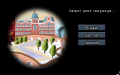
Infinite Monkeys

Infinite Monkeys
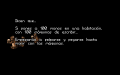
Infinite Monkeys

Infinite Monkeys
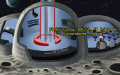
Infinite Monkeys
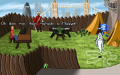
Infinite Monkeys
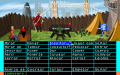
Infinite Monkeys
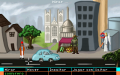
Infinite Monkeys
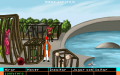
Infinite Monkeys
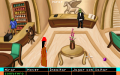
Infinite Monkeys
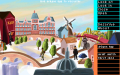
Infinite Monkeys
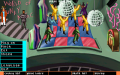
Infinite Monkeys


