Diferencia entre revisiones de «Trev's Excellent Adventure»
De AbandonWiki
Ir a la navegaciónIr a la búsquedam (Texto reemplaza - '|control = ' a '|control1 = ') |
|||
| Línea 3: | Línea 3: | ||
|caratula = Trevs_Excellent_Adventure_-_Portada.jpg | |caratula = Trevs_Excellent_Adventure_-_Portada.jpg | ||
|genero1 = {{Aventura gráfica}} | |genero1 = {{Aventura gráfica}} | ||
| − | |aka1 = Trev to the Rescue! | + | |aka1 = Trev to the Rescue! |
| + | |aka2 = Problem Solving and Logical Thinking | ||
|año1 = 1997 | |año1 = 1997 | ||
|tematica1 = {{aventuras}} | |tematica1 = {{aventuras}} | ||
|textos1 = [[Imagen:GB.png|20x11px|Inglés]] | |textos1 = [[Imagen:GB.png|20x11px|Inglés]] | ||
| − | | | + | |voces1 = [[Imagen:GB.png|20x11px|Inglés]] |
|licencia1 = Comercial | |licencia1 = Comercial | ||
|precio1 = | |precio1 = | ||
| − | | | + | |desarrollo1 = [[Powervision]] |
|distribuidor1 = | |distribuidor1 = | ||
| − | |editor1 = [[Eureka Multimedia]] | + | |editor1 = [[Eureka Multimedia]] |
| + | |editor2 = [[Dataworks]] | ||
|soporte1 = 1 CD | |soporte1 = 1 CD | ||
|motor1 = | |motor1 = | ||
| Línea 42: | Línea 44: | ||
==Instalación== | ==Instalación== | ||
====Windows XP==== | ====Windows XP==== | ||
| − | * Jugado '''sin finalizar''' por '''cireja''' en Windows XP: | + | * Jugado '''sin finalizar''' por '''cireja''' en Windows XP SP3: |
:Tras la instalación cerrar manualmente el proceso wowexec.exe. | :Tras la instalación cerrar manualmente el proceso wowexec.exe. | ||
| Línea 59: | Línea 61: | ||
==Enlaces de interés== | ==Enlaces de interés== | ||
| − | * | + | * [[Imagen:Just_Adventure.ico.png|16px|Just Adventure]] [http://www.justadventure.com/reviews/TrevsExcAdv/TrevsExcAdv.shtm Just Adventure] |
| + | * [[Imagen:The_Legacy.ico.png|16px|The Legacy]] [http://www.thelegacy.de/Museum/36858 The Legacy] | ||
{{Juegos}} | {{Juegos}} | ||
Revisión del 01:55 14 dic 2012

Aventura en FMV.
Descripción
Personajes
Curiosidades
- Voces en inglés sin subtítulos.
Instalación
Windows XP
- Jugado sin finalizar por cireja en Windows XP SP3:
- Tras la instalación cerrar manualmente el proceso wowexec.exe.
Imágenes

Trev's Excellent Adventure

Trev's Excellent Adventure
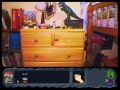
Trev's Excellent Adventure
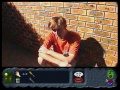
Trev's Excellent Adventure
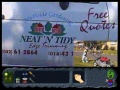
Trev's Excellent Adventure

Trev's Excellent Adventure

Trev's Excellent Adventure
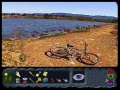
Trev's Excellent Adventure


