Diferencia entre revisiones de «Mortalus»
De AbandonWiki
Ir a la navegaciónIr a la búsquedam (Texto reemplazado: «20px|Inglés» por «{{Inglés}}») |
m (Texto reemplazado: «16px|link=A-for-Adventure» por «{{A-for-Adventure}}») |
||
| Línea 78: | Línea 78: | ||
|url1 = [[Archivo:Nofavicon.ico.png|16px|Nofavicon]] [http://www.mortalus.com Website] | |url1 = [[Archivo:Nofavicon.ico.png|16px|Nofavicon]] [http://www.mortalus.com Website] | ||
|url2 = [[Archivo:Just_Adventure_-_02.ico.png|16px|link=Just Adventure]] [https://web.archive.org/web/20100127035716/http://www.justadventure.com/Walkthroughs/Mortalus/Mortalus.shtm Guía en inglés] | |url2 = [[Archivo:Just_Adventure_-_02.ico.png|16px|link=Just Adventure]] [https://web.archive.org/web/20100127035716/http://www.justadventure.com/Walkthroughs/Mortalus/Mortalus.shtm Guía en inglés] | ||
| − | |url3 = | + | |url3 = {{A-for-Adventure}} [http://www.a-for-adventure.com/gamereview.php?id=377 A-for-Adventure] |
|url4 = [[Archivo:TheLegacy.ico.png|16px|link=TheLegacy]] [https://web.archive.org/web/20160603013220/http://www.thelegacy.de/Museum/20884 TheLegacy] | |url4 = [[Archivo:TheLegacy.ico.png|16px|link=TheLegacy]] [https://web.archive.org/web/20160603013220/http://www.thelegacy.de/Museum/20884 TheLegacy] | ||
|url5 = [[Archivo:Adventure_Legends.ico.png|16px|link=Adventure Legends]] [https://www.legendsworld.net/adventure/game/4344 Adventure Legends] | |url5 = [[Archivo:Adventure_Legends.ico.png|16px|link=Adventure Legends]] [https://www.legendsworld.net/adventure/game/4344 Adventure Legends] | ||
Revisión del 19:11 13 mar 2025


Descripción
Personajes
Curiosidades
- Voces en inglés, sin subtítulos.
Instalación
Windows 98/Virtual PC
- Funciona correctamente en Virtual PC, animaciones y sonido correctos. En VMware también funciona, pero hay animaciones que van muy lentas.
- No pulsar ESC en ningún momento, o nos sacará al escritorio sin preguntar y sin guardar.
- Las secuencias arcade se pueden saltar pulsando la tecla K.--cireja 00:53 24 sep 2013
Teclas importantes
El juego se controla con ratón, sin embargo, el teclado también se utiliza para algunas funciones de la interfaz:
- B: libro de Conocimiento Oscuro, con pistas y consejos.
- O: inventario.
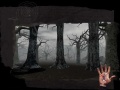
- P: muestra la palma de la mano, mostrando la magnitud de su maldición.
- S: salva el juego.
- X: sale del juego.
Durante los combates con espada se utilizan las siguientes teclas:
- A: ataque izquierda.
- D: ataque derecha.
- S: ofensiva con espada.
- W: hace un swing hacia arriba.
- TAB: bloqueo.
Para los combates con ballesta, tecla Tab para coger y ratón para usar.
Imágenes
Mortalus
Mortalus
Mortalus
Mortalus


