Diferencia entre revisiones de «The Quivering»
De AbandonWiki
Ir a la navegaciónIr a la búsquedam (Texto reemplazado: «==Enlaces de interés== {| |- style="vertical-align:top;" | [[Archivo» por «==Enlaces de interés== {{Enlaces |url1 = |url2 = |url3 = |url4 = |url5 = |url6 = |url7 = |url8 = |url9 = |url10 = |url11 = |url12 = |url13 = |url14 = |url15 = |url16 = |url17 = |url18 = |url19 = |url20 = [[Archivo») |
|||
| Línea 98: | Línea 98: | ||
==Enlaces de interés== | ==Enlaces de interés== | ||
{{Enlaces | {{Enlaces | ||
| − | |url1 = | + | |url1 = [[Archivo:AbandonSocios.ico.png|16px|link=AbandonSocios]] [https://www.abandonsocios.org/index.php?topic=15113 AbandonSocios] |
| − | + | |url2 = [[Archivo:Nofavicon.ico.png|16px|Nofavicon]] [http://www.snorris.freeserve.co.uk/quivering Website] | |
| − | + | |url3 = [[Archivo:Nofavicon.ico.png|16px|Nofavicon]] [http://www.altware.demon.co.uk/quiver.htm Alternative Software] | |
| − | + | |url4 = [[Archivo:Aventura_y_Cia.ico.png|16px|link=Aventura y Cía]] [https://www.aventuraycia.com/juegos/the-quivering Aventura y Cía] | |
| − | + | |url5 = [[Archivo:The_JAVE.ico.png|16px|link=Just Adventure|The JAVE]] [https://web.archive.org/web/20081226141324/http://www.justadventure.com/thejave/html/Games/GamesQ/Quivering/JAVE_Quivering.shtml The JAVE] | |
| − | + | |url6 = [[Archivo:Just_Adventure_-_02.ico.png|16px|link=Just Adventure]] [https://web.archive.org/web/20091212072246/http://www.justadventure.com/reviews/Quivering/Quivering_Review.shtm Just Adventure] | |
| − | + | |url7 = [[Archivo:Metzomagic.ico.png|16px|Metzomagic]] [http://www.metzomagic.com/showArticle.php?index=408 Metzomagic] | |
| − | + | |url8 = [[Archivo:Mr._Bill's_Adventureland.ico.png|16px|link=Mr. Bill's Adventureland]] [https://web.archive.org/web/20210708180819/http://www.mrbillsadventureland.com/reviews/q-r/quiveringR/quiveringR.htm Mr. Bill's Adventureland] | |
| − | + | |url9 = [[Archivo:Adventure_Gamer.ico.png|16px|link=Adventure Gamers]] [https://web.archive.org/web/20000528235640/http://www.adventuregamer.com/reviews/misc/quivering.shtml Adventure Gamer] | |
| − | + | |url10 = [[Archivo:Adventure_Gamers.ico.png|16px|link=Adventure Gamers]] [https://adventuregamers.com/games/view/15683 Adventure Gamers] | |
| − | + | |url11 = [[Archivo:GameSpot.ico.png|16px|link=GameSpot]] [https://www.gamespot.com/games/the-quivering GameSpot] | |
| − | + | |url12 = [[Archivo:MobyGames.ico.png|16px|link=MobyGames]] [https://www.mobygames.com/game/5940 MobyGames] | |
| − | + | |url13 = [[Archivo:TheLegacy.ico.png|16px|link=TheLegacy]] [https://web.archive.org/web/20160603013220/http://www.thelegacy.de/Museum/9396 TheLegacy] | |
| − | + | |url14 = [[Archivo:Adventure_Legends.ico.png|16px|link=Adventure Legends]] [https://www.legendsworld.net/adventure/game/4757 Adventure Legends] | |
| − | + | |url15 = [[Archivo:MonkeyGames.ico.png|16px|MonkeyGames]] [http://www.monkeygames.uz/game/the-quivering MonkeyGames] | |
| − | + | |url16 = [[Archivo:Questzone.ico.png|16px|link=Questzone]] [https://questzone.ru/enzi/game/284 Questzone] | |
| − | |||
| − | |||
| − | |||
| − | |||
| − | [[Archivo:AbandonSocios.ico.png|16px|link=AbandonSocios]] [https://www.abandonsocios.org/index.php?topic=15113 AbandonSocios] | ||
| − | [[Archivo:Nofavicon.ico.png|16px|Nofavicon]] [http://www.snorris.freeserve.co.uk/quivering Website] | ||
| − | [[Archivo:Nofavicon.ico.png|16px|Nofavicon]] [http://www.altware.demon.co.uk/quiver.htm Alternative Software] | ||
| − | [[Archivo:Aventura_y_Cia.ico.png|16px|link=Aventura y Cía]] [https://www.aventuraycia.com/juegos/the-quivering Aventura y Cía] | ||
| − | [[Archivo:The_JAVE.ico.png|16px|link=Just Adventure|The JAVE]] [https://web.archive.org/web/20081226141324/http://www.justadventure.com/thejave/html/Games/GamesQ/Quivering/JAVE_Quivering.shtml The JAVE] | ||
| − | [[Archivo:Just_Adventure_-_02.ico.png|16px|link=Just Adventure]] [https://web.archive.org/web/20091212072246/http://www.justadventure.com/reviews/Quivering/Quivering_Review.shtm Just Adventure] | ||
| − | [[Archivo:Metzomagic.ico.png|16px|Metzomagic]] [http://www.metzomagic.com/showArticle.php?index=408 Metzomagic] | ||
| − | [[Archivo:Mr._Bill's_Adventureland.ico.png|16px|link=Mr. Bill's Adventureland]] [https://web.archive.org/web/20210708180819/http://www.mrbillsadventureland.com/reviews/q-r/quiveringR/quiveringR.htm Mr. Bill's Adventureland] | ||
| − | [[Archivo:Adventure_Gamer.ico.png|16px|link=Adventure Gamers]] [https://web.archive.org/web/20000528235640/http://www.adventuregamer.com/reviews/misc/quivering.shtml Adventure Gamer] | ||
| − | [[Archivo:Adventure_Gamers.ico.png|16px|link=Adventure Gamers]] [https://adventuregamers.com/games/view/15683 Adventure Gamers] | ||
| − | [[Archivo:GameSpot.ico.png|16px|link=GameSpot]] [https://www.gamespot.com/games/the-quivering GameSpot] | ||
| − | [[Archivo:MobyGames.ico.png|16px|link=MobyGames]] [https://www.mobygames.com/game/5940 MobyGames] | ||
| − | [[Archivo:TheLegacy.ico.png|16px|link=TheLegacy]] [https://web.archive.org/web/20160603013220/http://www.thelegacy.de/Museum/9396 TheLegacy] | ||
| − | [[Archivo:Adventure_Legends.ico.png|16px|link=Adventure Legends]] [https://www.legendsworld.net/adventure/game/4757 Adventure Legends] | ||
| − | [[Archivo:MonkeyGames.ico.png|16px|MonkeyGames]] [http://www.monkeygames.uz/game/the-quivering MonkeyGames] | ||
| − | [[Archivo:Questzone.ico.png|16px|link=Questzone]] [https://questzone.ru/enzi/game/284 Questzone] | ||
}} | }} | ||
{{DEFAULTSORT:Quivering, The}} | {{DEFAULTSORT:Quivering, The}} | ||
{{Juegos}} | {{Juegos}} | ||
Revisión del 14:30 6 ene 2025


Descripción
Personajes

Curiosidades
- Voces en inglés en los diálogos, sin subtítulos.
Instalación
DOSBox opción 1
- Nota: esta es la manera más fácil de instalar y de jugar. La instalación la haremos bajo Windows y se juega bajo DOSBox. La instalación completa desde Windows tarda 1 minuto, sin embargo desde DOSBox puede llegar a tardar más de una hora, por lo que sin ninguna duda éste es el menor método.
- 1. Crearse una imagen de CD llamada QuiverDVD.iso con el contenido de los 2 CDs (no se sobreescribe nada y funcionará perfectamente después).
- 2. Montar la imagen nueva en Windows en una unidad virtual e instalar desde Windows, poniendo antes compatibilidad con Windows 98 al archivo setup95.exe del CD.
- 3. La carpeta que ha resultado de la instalación, QUIV, la cortamos de C: y la metemos dentro de nuestra carpeta DosGames para luego montarla en DOSBox así:
[autoexec]
mount c D:\DosGames
imgmount d "...ruta...\QuiverDVD.iso" -t iso
c:
cd QUIV
QUIV
- 4. Ahora arrancamos el DOSBox y nos situamos en la carpeta del juego para ejecutar el asistente de configuración de sonido, siguiendo las indicaciones de pantalla, tecleando:
cd Quiv
Setsound.exe
- 5. Tras configurar el sonido reiniciamos el DOSBox.--cireja 19:43 24 sep 2013
DOSBox opción 2 (instalación clásica)
- Partiendo de que tenemos nuestra carpeta DosGames en D, y una carpeta llamada Quivering con las imágenes de los dos CDs también en D, preparamos el dosbox.conf así:
[autoexec]
mount c D:\DosGames
imgmount d "D:\Quiver~1\Quiver1.iso" "D:\Quivering\Quiver2.iso" -t iso
c:
cd QUIV
QUIV
- Nota: El CD1 se debe montar ajustándose a la estructura 8+3 de DOS, cosa que no es necesario para el CD 2, que se puede montar con la de nombre de directorio/fichero completo entre comillas. Si se pone el nombre del CD1 con nombres largos no funcionará, cosa rara pero es así.
- Una vez dentro de DOSBox se puede alternar entre discos (poner uno u otro como "activo") simplemente presionando CTRL+F4.
- Una vez arrancado el DOSBox, entramos en D: e instalamos con Install. Seguid las instrucciones en pantalla.
- Cuando acabe la instalación reiniciamos el DOSBox.--cireja 19:43 24 sep 2013
Imágenes

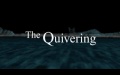
The Quivering
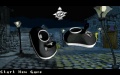
The Quivering
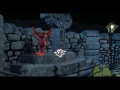
The Quivering
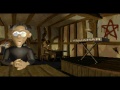
The Quivering
The Quivering
The Quivering
The Quivering
The Quivering


