Diferencia entre revisiones de «Dinotopia»
De AbandonWiki
Ir a la navegaciónIr a la búsquedam (Texto reemplazado: «16px|link=TheLegacy» por «{{TheLegacy}}») |
m (Texto reemplazado: «16px|link=Adventure Gamers» por «{{Adventure Gamers}}») |
||
| Línea 72: | Línea 72: | ||
|url6 = {{The Computer Show}} [http://www.thecomputershow.com/computershow/reviews/dinotopia.htm The Computer Show] | |url6 = {{The Computer Show}} [http://www.thecomputershow.com/computershow/reviews/dinotopia.htm The Computer Show] | ||
|url7 = {{Just Adventure2}} [https://web.archive.org/web/20090923235141/http://www.justadventure.com/reviews/Dinotopia/Dinotopia.shtm Just Adventure] | |url7 = {{Just Adventure2}} [https://web.archive.org/web/20090923235141/http://www.justadventure.com/reviews/Dinotopia/Dinotopia.shtm Just Adventure] | ||
| − | |url8 = | + | |url8 = {{Adventure Gamers}} [https://adventuregamers.com/games/view/16334 Adventure Gamers] |
|url9 = {{Mr. Bill's Adventureland}} [https://web.archive.org/web/20210708180819/http://www.mrbillsadventureland.com/reviews/c-d/dinotopiaR/dinotopiaR.htm Mr. Bill's Adventureland] | |url9 = {{Mr. Bill's Adventureland}} [https://web.archive.org/web/20210708180819/http://www.mrbillsadventureland.com/reviews/c-d/dinotopiaR/dinotopiaR.htm Mr. Bill's Adventureland] | ||
|url10 = [[Archivo:MobyGames.ico.png|16px|link=MobyGames]] [https://www.mobygames.com/game/3269 MobyGames] | |url10 = [[Archivo:MobyGames.ico.png|16px|link=MobyGames]] [https://www.mobygames.com/game/3269 MobyGames] | ||
Revisión del 06:03 15 mar 2025


Descripción
Personajes
- Nathan Drake
Curiosidades
Instalación
DOSBox
- dosbox.conf:
[autoexec]
mount c D:\DosGames
imgmount d "...ruta...\FINAL_6.iso" -t iso
C:
- Entramos en D: e instalamos con Install. Configurar los dos tipos de sonido con automático.
- Ejecutar con Dino.exe.--cireja 13:34 23 sep 2013
Imágenes
Dinotopia

Dinotopia
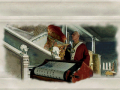
Dinotopia
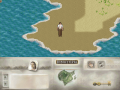
Dinotopia
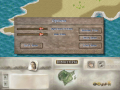
Dinotopia
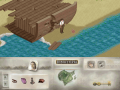
Dinotopia
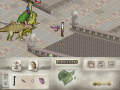
Dinotopia
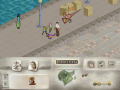
Dinotopia


