Diferencia entre revisiones de «Blazing Dragons»
De AbandonWiki
Ir a la navegaciónIr a la búsquedam (Texto reemplazado: «|20x11px» por «|20px») |
m (Texto reemplazado: «16px|GameSpot» por «16px|link=GameSpot») |
||
| Línea 72: | Línea 72: | ||
* [[Archivo:LAELA.ico.png|16px|link=La Aventura es la Aventura|LAELA]] [https://la-aventura.eu/aventuras/blazing-dragons LAELA] | * [[Archivo:LAELA.ico.png|16px|link=La Aventura es la Aventura|LAELA]] [https://la-aventura.eu/aventuras/blazing-dragons LAELA] | ||
* [[Archivo:Adventure_Gamers.ico.png|16px|link=Adventure Gamers]] [https://adventuregamers.com/games/view/16033 Adventure Gamers] | * [[Archivo:Adventure_Gamers.ico.png|16px|link=Adventure Gamers]] [https://adventuregamers.com/games/view/16033 Adventure Gamers] | ||
| − | * [[Archivo:GameSpot.ico.png|16px|GameSpot]] [https://www.gamespot.com/reviews/blazing-dragons-review/1900-2533817 GameSpot] | + | * [[Archivo:GameSpot.ico.png|16px|link=GameSpot]] [https://www.gamespot.com/reviews/blazing-dragons-review/1900-2533817 GameSpot] |
* [[Archivo:EBay.ico.png|16px|eBay]] [http://www.ebay.es/itm/Blazing-dragons-Pal-Espana-SS-Saturn-/150638620854 eBay] | * [[Archivo:EBay.ico.png|16px|eBay]] [http://www.ebay.es/itm/Blazing-dragons-Pal-Espana-SS-Saturn-/150638620854 eBay] | ||
* [[Archivo:Destructoid.ico.png|16px|Destructoid]] [http://www.destructoid.com/games-time-forgot-blazing-dragons-46416.phtml Destructoid] | * [[Archivo:Destructoid.ico.png|16px|Destructoid]] [http://www.destructoid.com/games-time-forgot-blazing-dragons-46416.phtml Destructoid] | ||
Revisión del 01:52 30 dic 2024


Descripción
Personajes
- Flicker
Curiosidades
- Basado en los personajes creados por Terry Jones.
- Versión de Saturn publicada en España de la mano de Erbe Software. Manual y descripción de la caja en español, textos en pantalla y voces en inglés.
Instalación
Windows XP
- Probado en el emulador online de onlinemania.org. Sólo funciona en Internet Explorer. Se puede jugar con Firefox con el plugin IETab.
- Controles: Cursores para Movimiento, J= Start; A= K, B= L; C= M; Puedes configurar el teclado en Files, Settings, Input a tu gusto.--cireja 00:18 23 sep 2013
Imágenes


Blazing Dragons
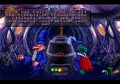
Blazing Dragons
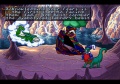
Blazing Dragons
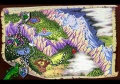
Blazing Dragons
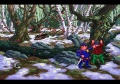
Blazing Dragons
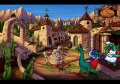
Blazing Dragons
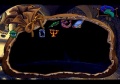
Blazing Dragons
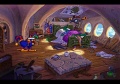
Blazing Dragons


