Diferencia entre revisiones de «Safecracker (1997, Daydream Software)»
De AbandonWiki
Ir a la navegaciónIr a la búsquedam (Texto reemplazado: «] * [[» por «] [[») |
|||
| Línea 97: | Línea 97: | ||
==Enlaces de interés== | ==Enlaces de interés== | ||
| − | { | + | {{Enlaces |
| − | | | + | |url1 = [[Archivo:AbandonSocios.ico.png|16px|link=AbandonSocios]] [https://www.abandonsocios.org/index.php?topic=6827 AbandonSocios] |
| − | + | |url2 = [[Archivo:Dardo.ico.png|16px|link=Las Aventuras de Dardo|Las Aventuras de D@®Do]] [https://dardoaventuras.com/aventura/Geocities/safe.html Guía, por D@®Do] | |
| − | [[Archivo:AbandonSocios.ico.png|16px|link=AbandonSocios]] [https://www.abandonsocios.org/index.php?topic=6827 AbandonSocios] | + | |url3 = [[Archivo:Ultimate_Game_Solutions.ico.png|16px|Ultimate Game Solutions]] [https://gamesolutions.efzeven.nl/safecracker-walkthrough-daydream-software1996 Guía en inglés] |
| − | [[Archivo:Dardo.ico.png|16px|link=Las Aventuras de Dardo|Las Aventuras de D@®Do]] [https://dardoaventuras.com/aventura/Geocities/safe.html Guía, por D@®Do] | + | |url4 = [[Archivo:Nofavicon.ico.png|16px|Nofavicon]] [http://home.earthlink.net/~infernofilecabinet4/XpSetupsP_T/SC_Setup.htm Fix Inventory Scrolling] |
| − | [[Archivo:Ultimate_Game_Solutions.ico.png|16px|Ultimate Game Solutions]] [https://gamesolutions.efzeven.nl/safecracker-walkthrough-daydream-software1996 Guía en inglés] | + | |url5 = [[Archivo:Aventura_y_Cia.ico.png|16px|link=Aventura y Cía]] [https://www.aventuraycia.com/juegos/safecracker Aventura y Cía] [https://www.aventuraycia.com/v3/review.php?id=16 2] |
| − | [[Archivo:Nofavicon.ico.png|16px|Nofavicon]] [http://home.earthlink.net/~infernofilecabinet4/XpSetupsP_T/SC_Setup.htm Fix Inventory Scrolling] | + | |url6 = [[Archivo:LAELA.ico.png|16px|link=LAELA]] [https://la-aventura.eu/aventuras/safecracker LAELA] |
| − | [[Archivo:Aventura_y_Cia.ico.png|16px|link=Aventura y Cía]] [https://www.aventuraycia.com/juegos/safecracker Aventura y Cía] [https://www.aventuraycia.com/v3/review.php?id=16 2] | + | |url7 = [[Archivo:Metzomagic.ico.png|16px|Metzomagic]] [http://www.metzomagic.com/showArticle.php?index=252 Metzomagic] |
| − | [[Archivo:LAELA.ico.png|16px|link=LAELA]] [https://la-aventura.eu/aventuras/safecracker LAELA] | + | |url8 = [[Archivo:MobyGames.ico.png|16px|link=MobyGames]] [https://www.mobygames.com/game/5408 MobyGames] |
| − | [[Archivo:Metzomagic.ico.png|16px|Metzomagic]] [http://www.metzomagic.com/showArticle.php?index=252 Metzomagic] | + | |url9 = [[Archivo:TheLegacy.ico.png|16px|link=TheLegacy]] [https://web.archive.org/web/20160603013220/http://www.thelegacy.de/Museum/6652 TheLegacy] |
| − | [[Archivo:MobyGames.ico.png|16px|link=MobyGames]] [https://www.mobygames.com/game/5408 MobyGames] | + | |url10 = [[Archivo:Adventure_Legends.ico.png|16px|link=Adventure Legends]] [https://www.legendsworld.net/adventure/game/4888 Adventure Legends] |
| − | [[Archivo:TheLegacy.ico.png|16px|link=TheLegacy]] [https://web.archive.org/web/20160603013220/http://www.thelegacy.de/Museum/6652 TheLegacy] | + | |url11 = [[Archivo:Macintosh_Garden.ico.png|16px|Macintosh Garden]] [http://macintoshgarden.org/games/safecracker Macintosh Garden] |
| − | [[Archivo:Adventure_Legends.ico.png|16px|link=Adventure Legends]] [https://www.legendsworld.net/adventure/game/4888 Adventure Legends] | + | |url12 = [[Archivo:MonkeyGames.ico.png|16px|MonkeyGames]] [http://www.monkeygames.uz/game/safecracker MonkeyGames] |
| − | [[Archivo:Macintosh_Garden.ico.png|16px|Macintosh Garden]] [http://macintoshgarden.org/games/safecracker Macintosh Garden] | + | |url13 = [[Archivo:Questzone.ico.png|16px|link=Questzone]] [https://questzone.ru/enzi/game/245 Questzone] |
| − | [[Archivo:MonkeyGames.ico.png|16px|MonkeyGames]] [http://www.monkeygames.uz/game/safecracker MonkeyGames] | + | |url14 = [[Archivo:The_JAVE.ico.png|16px|link=Just Adventure|The JAVE]] [https://web.archive.org/web/20100108021622/http://justadventure.com/thejave/html/JAVE_S.shtml The JAVE] |
| − | [[Archivo:Questzone.ico.png|16px|link=Questzone]] [https://questzone.ru/enzi/game/245 Questzone] | + | |url15 = [[Archivo:Just_Adventure_-_02.ico.png|16px|link=Just Adventure]] [https://web.archive.org/web/20091109053201/http://www.justadventure.com/reviews/Safecracker/Safecracker_Review.shtm Just Adventure] |
| − | [[Archivo:The_JAVE.ico.png|16px|link=Just Adventure|The JAVE]] [https://web.archive.org/web/20100108021622/http://justadventure.com/thejave/html/JAVE_S.shtml The JAVE] | + | |url16 = [[Archivo:Adventure_Gamers.ico.png|16px|link=Adventure Gamers]] [https://adventuregamers.com/games/view/16297 Adventure Gamers] |
| − | [[Archivo:Just_Adventure_-_02.ico.png|16px|link=Just Adventure]] [https://web.archive.org/web/20091109053201/http://www.justadventure.com/reviews/Safecracker/Safecracker_Review.shtm Just Adventure] | ||
| − | [[Archivo:Adventure_Gamers.ico.png|16px|link=Adventure Gamers]] [https://adventuregamers.com/games/view/16297 Adventure Gamers] | ||
}} | }} | ||
Revisión del 22:08 4 ene 2025


Descripción
Trucos
Para cambiar la hora en el juego y que así nos quede tiempo tenemos que realizar estos pasos:
- Guarda la partida en la escena de la Sala de Muestras con el nombre SF.SAVE
- Sal por completo del juego y busca en Mis documentos el archivo que has guardado antes con del nombre SF.SAVE, haz clic con el botón derecho y selecciona Abrir.
- Dentro del archivo habrá una linea llamada Time y una hora. Cambia la hora y cierra el archivo guardándolo en el mismo directorio.
- Arranca el juego, dale al botón Restaurar y selecciona la partida SF.SAVE y en el juego saldrá esa hora.
Códigos: En el juego pulsa CTRL + ENTER al mismo tiempo. Saldrá una pantalla de comandos donde puedes teclear cualquiera de estos códigos:
- HOUSE_LIGHT: La mansión se queda oscura.
- SAFECRACKER_OLL: Te acabas el juego.
- SAFES_CLOUD: Te sale la solución de todas las cajas fuertes.
Curiosidades
- En Mayo de 1999 lo daban como extra con el periódico La Vanguardia, con sólo pagar una pequeña cantidad.
- En la habitación 44 (Sala de Conferencias) las paredes están cubiertas con retratos de los desarrolladores del juego.
- Existe una Big Box con caja en Español y Portugués distribuida en Estados Unidos por una empresa ubicada en Miami (nwi - New World Interactive).
Instalación
Windows 98/VMware
- Poner el "Fix Inventory Scrolling", o lo más probable es que te falle y no te podrás desplazar por el inventario.
- No he sido capaz de hacerlo funcionar en Windows XP.--cireja 16:49 24 sep 2013
Imágenes

Safecracker

Safecracker

Safecracker
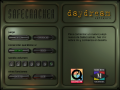
Safecracker
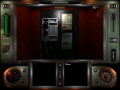
Safecracker
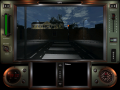
Safecracker
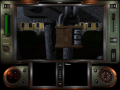
Safecracker
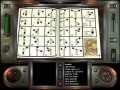
Safecracker
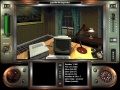
Safecracker
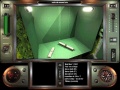
Safecracker
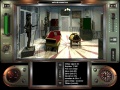
Safecracker
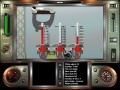
Safecracker


Extras
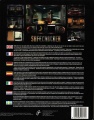
Trasera

CD
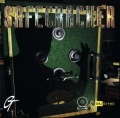
Front
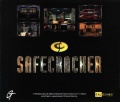
Back


Enlaces de interés


Serie
Este juego pertenece a la serie  Safecracker Safecracker | |||
|---|---|---|---|


