Diferencia entre revisiones de «Wonderland (2004, Robyn Campbell)»
De AbandonWiki
Ir a la navegaciónIr a la búsquedam (Texto reemplazado: «16px|link=Adventure Developers» por «{{Adventure Developers}}») |
m (Texto reemplazado: «16px|link=Cognitial Software» por «{{Cognitial Software}}») |
||
| Línea 38: | Línea 38: | ||
==Instalación== | ==Instalación== | ||
====Windows XP==== | ====Windows XP==== | ||
| − | * Lo primero que hay que hacer es descargar e instalar el interprete para el motor InterAx: | + | * Lo primero que hay que hacer es descargar e instalar el interprete para el motor InterAx: {{Cognitial Software}} [http://www.cognitial.com/download.htm InterAx Support Installer]. |
:Luego se ejecuta el juego directamente pinchando en '''Game.exe'''.--[[Usuario:Cireja|cireja]] 20:50 24 sep 2013 | :Luego se ejecuta el juego directamente pinchando en '''Game.exe'''.--[[Usuario:Cireja|cireja]] 20:50 24 sep 2013 | ||
| Línea 60: | Línea 60: | ||
{{Enlaces | {{Enlaces | ||
|url1 = [[Archivo:Nofavicon.ico.png|16px|Nofavicon]] [http://www.justkiwis.com/html/wonderland.html Website] | |url1 = [[Archivo:Nofavicon.ico.png|16px|Nofavicon]] [http://www.justkiwis.com/html/wonderland.html Website] | ||
| − | |url2 = | + | |url2 = {{Cognitial Software}} [http://www.cognitial.com/interax/wonderland.htm Cognitial Software] |
|url3 = [[Archivo:Just_Adventure_-_02.ico.png|16px|link=Just Adventure]] [https://web.archive.org/web/20100108013857/http://justadventure.com/Interviews/RobynCampbell/Robyn.shtm Just Adventure] | |url3 = [[Archivo:Just_Adventure_-_02.ico.png|16px|link=Just Adventure]] [https://web.archive.org/web/20100108013857/http://justadventure.com/Interviews/RobynCampbell/Robyn.shtm Just Adventure] | ||
|url4 = {{Adventure Developers}} [http://www.adventuredevelopers.com/gamesdetail.php?action=view&gameid=50 Adventure Developers] | |url4 = {{Adventure Developers}} [http://www.adventuredevelopers.com/gamesdetail.php?action=view&gameid=50 Adventure Developers] | ||
Revisión del 21:37 13 mar 2025
_-_Portada.jpg)


Descripción
Personajes
Curiosidades
Instalación
Windows XP
- Lo primero que hay que hacer es descargar e instalar el interprete para el motor InterAx:
 InterAx Support Installer.
- Luego se ejecuta el juego directamente pinchando en Game.exe.--cireja 20:50 24 sep 2013
Imágenes
Wonderland

Wonderland

Wonderland
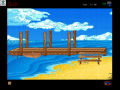
Wonderland

Wonderland
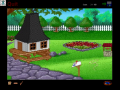
Wonderland

Wonderland

Wonderland
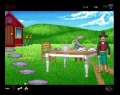
Wonderland
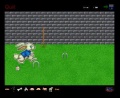
Wonderland

Wonderland

Wonderland
_-_01.png)
_-_02.png)
_-_03.png)
_-_04.png)
_-_05.png)
_-_06.png)
_-_07.png)
_-_08.png)
_-_09.jpg)
_-_10.jpg)
_-_11.jpg)
_-_12.jpg)


