Diferencia entre revisiones de «El Fabuloso Viaje del Tío Alberto»
De AbandonWiki
Ir a la navegaciónIr a la búsquedam (Texto reemplazado: «http://la-aventura.eu/» por «https://la-aventura.eu/») |
m (Texto reemplazado: «http://www.gameboomers.com» por «https://www.gameboomers.com») |
||
| Línea 65: | Línea 65: | ||
* [[Archivo:Nofavicon.ico.png|16px|Nofavicon]] [http://www.oncle-ernest.com/html/fv.htm Website] | * [[Archivo:Nofavicon.ico.png|16px|Nofavicon]] [http://www.oncle-ernest.com/html/fv.htm Website] | ||
* [[Archivo:Dardo.ico.png|16px|Las Aventuras de D@®Do]] [https://dardoaventuras.com/aventura/Eresmas/viajeal.html Guía, por D@®Do] | * [[Archivo:Dardo.ico.png|16px|Las Aventuras de D@®Do]] [https://dardoaventuras.com/aventura/Eresmas/viajeal.html Guía, por D@®Do] | ||
| − | * [[Archivo:GameBoomers.ico.png|16px|GameBoomers]] [ | + | * [[Archivo:GameBoomers.ico.png|16px|GameBoomers]] [https://www.gameboomers.com/wtcheats/pcUu/unclealbertfabulousvoyage.htm Guía en inglés] |
* [[Archivo:Nofavicon.ico.png|16px|Nofavicon]] [http://www.bcnmultimedia.com/CAS_eines/pistas/Viaje.htm Pistas] | * [[Archivo:Nofavicon.ico.png|16px|Nofavicon]] [http://www.bcnmultimedia.com/CAS_eines/pistas/Viaje.htm Pistas] | ||
* [[Archivo:Nofavicon.ico.png|16px|Nofavicon]] [http://www.bcnmultimedia.com/CAS_eines/solucions/Isla_misteriosa.htm Soluciones técnicas] | * [[Archivo:Nofavicon.ico.png|16px|Nofavicon]] [http://www.bcnmultimedia.com/CAS_eines/solucions/Isla_misteriosa.htm Soluciones técnicas] | ||
Revisión del 17:49 27 oct 2024


Descripción
Personajes
Curiosidades
Instalación
Windows XP
- Funciona muy bien en Windows XP, animaciones y sonido correctos.
- Poner en pestaña compatibilidad, resolución de 640x480 para jugar en pantalla completa, a los archivos chapp.exe y viaje.exe.
- Windows XP y los títulos de la colección Tío Alberto: No sale la imagen en las fotografías que haces durante el juego, ni tampoco las puedes mover, de manera que no puedes acabar de resolver el juego.
 Solución/Parche.--cireja 15:54 23 sep 2013

Imágenes
El Fabuloso Viaje del Tío Alberto

El Fabuloso Viaje del Tío Alberto
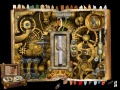
El Fabuloso Viaje del Tío Alberto
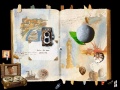
El Fabuloso Viaje del Tío Alberto


Enlaces de interés
 AbandonSocios
- Website
 Guía, por D@®Do
 Guía en inglés
- Pistas
- Soluciones técnicas
 LAELA
LAELA Adventure Legends
 Macintosh Garden
 Planete Aventure
 LTF Abandonware France


Serie
Este juego pertenece a la serie  Las Aventuras del Tío Alberto Las Aventuras del Tío Alberto | |||
|---|---|---|---|


